

BarTender Automation Design Software Edition On-premises
Attribute:
Powerful software solution for label, barcode, and RFID design and printing, developed to transform printing workflows into fully automated processes.
Categories : PRINTERS , Barcode Software ,
Share
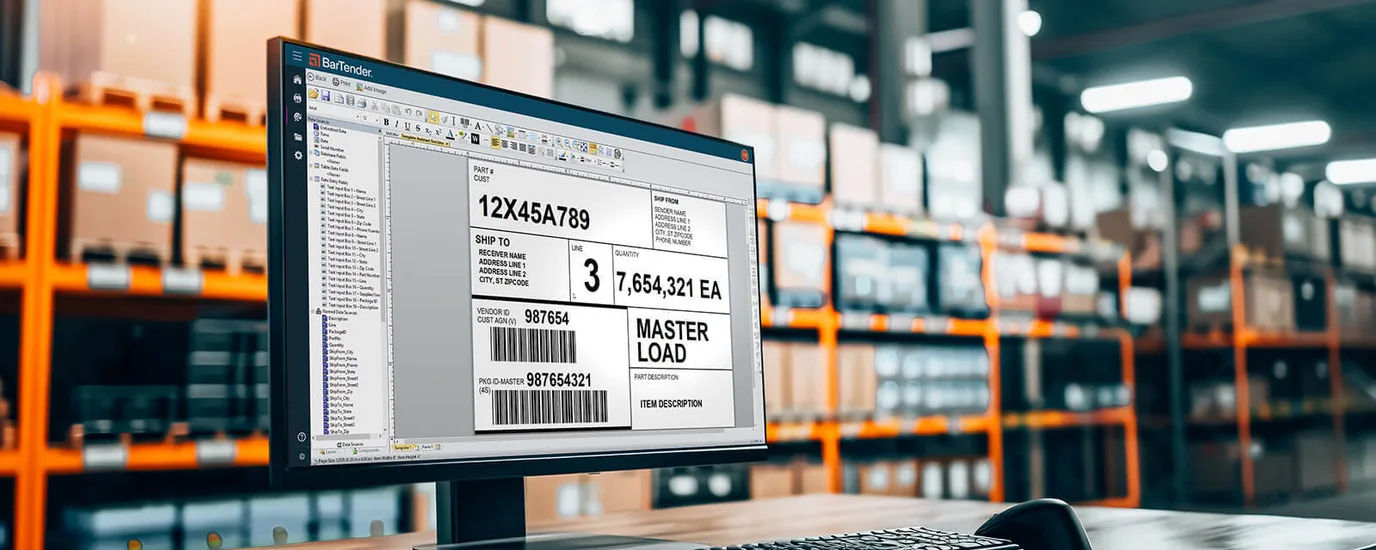
What's New
---------
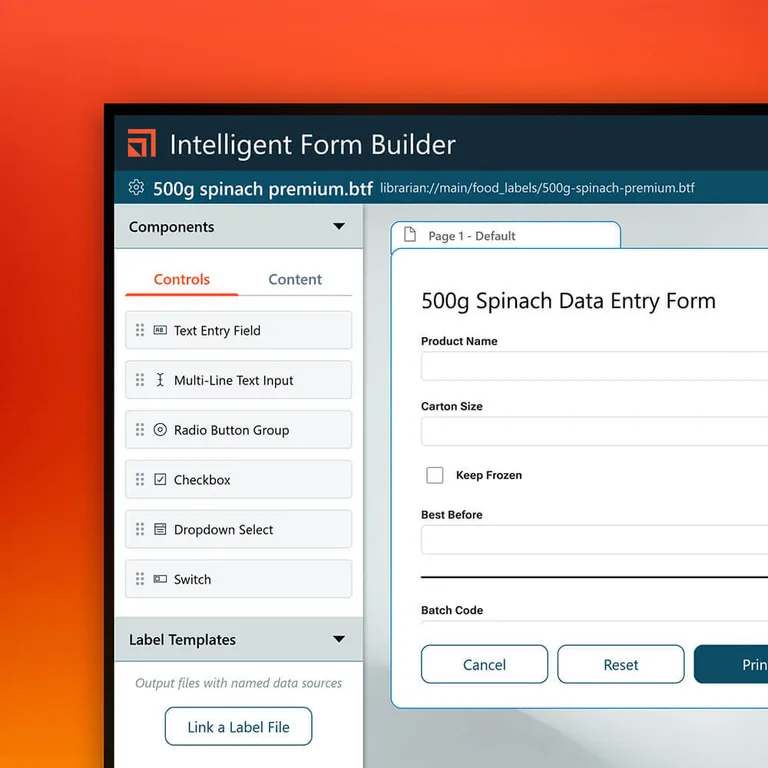
Simplify label printing with Intelligent Forms
Streamline label printing with Intelligent Forms that dynamically print specific label templates based on data – all without opening a file or application. Simply link a form to many templates for fast data entry and build your forms using the Intelligent Form Builder without any coding.
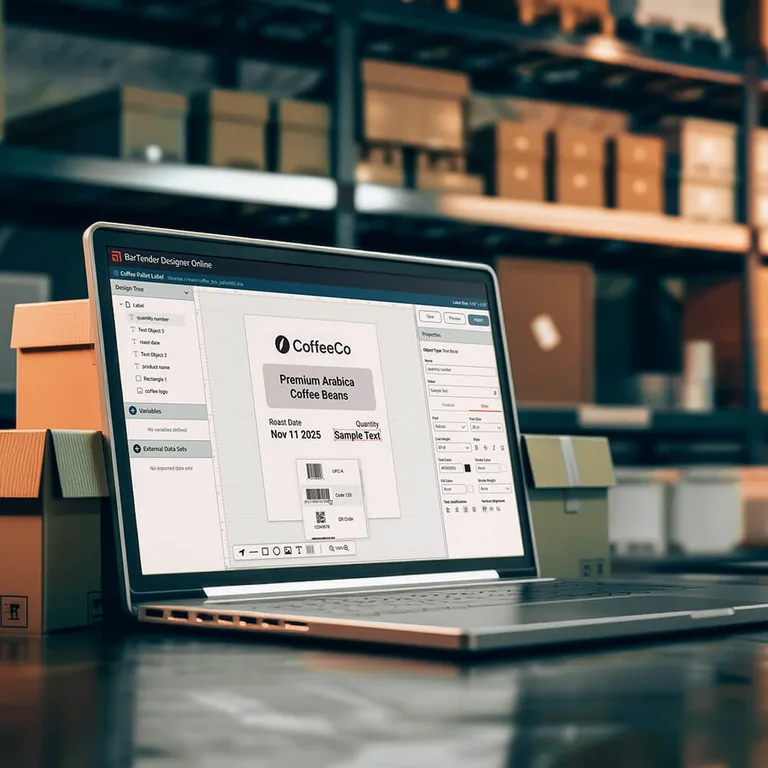
Streamline collaboration with BarTender Designer Online
Design from anywhere using the all-new, fully refreshed BarTender Designer Online. The web-based Designer simplifies collaboration with remote teams and external suppliers with the ability to design from any browser and share templates.
BarTender Automation Design Software Edition On-premises
BarTender Automation Edition is a powerful software solution for label, barcode, and RFID design and printing, developed to transform printing workflows into fully automated processes. It focuses on seamless integration with databases and enterprise applications, enabling labels to be printed directly without requiring manual intervention.
Key Features of the Automation Edition
- Automated Printing with Integration Builder : Define triggers to automatically print labels when new data enters the system. Examples include scanning product barcodes, saving new files into a folder (File Drop), or receiving data via standard web-service APIs.
- Comprehensive Database Connectivity : Pull data onto labels from a wide range of sources such as Microsoft Excel, SQL Server, Oracle, MySQL, as well as CSV and XML files.
- Intelligent Templates : Create conditional label templates that adapt dynamically to incoming data, eliminating the need to design multiple separate files.
- Print Control with Scripts (VB Scripting) : Supports short scripts to handle calculations, validations, or data transformations before printing onto labels.
System Specifications for Installation and Operation
Most requirements are similar to the Enterprise Edition since they share the same core platform. However, resource usage depends on the volume of automated data processing:
- Operating System : Windows 10, Windows 11, or Windows Server 2016, 2019, 2022 (64-bit only)
- Memory (RAM) : Minimum 8 GB (recommended 16 GB for continuous automated print queues)
- Hard Drive Space : Minimum 20 GB (with extra space recommended for automatic print job logging)
- Display Resolution : Minimum 1024 × 768 (recommended 1920 × 1080 for convenient label design)
- Database System : Microsoft SQL Server 2019 Express included in the installation package (or connect to the organization’s existing SQL Server)
- Additional Software : Requires .NET Framework 4.7.2 or later
Special Features of the Automation Edition
The Automation Edition focuses on reducing manual tasks and enabling label printing through integration with other enterprise systems:
- Integration Builder (Smart Connector) : Core functionality for creating automated print triggers without heavy coding, such as:
- File Trigger : Automatically print when a data file (CSV, XML, JSON) is dropped into a designated folder.
- Database Trigger : Automatically print when new records are added or updated in databases (SQL, Oracle, etc.).
- Web Services / TCP/IP : Accept print commands via Web APIs or direct signals from production line machinery.
- Intelligent Templates : Create a single label file that adapts dynamically to incoming data (Conditional Printing), eliminating the need to design hundreds of separate files.
- Visual Process Designer : A graphical interface that simulates automated printing workflows, showing input sources, process steps, and printer destinations. Simplifies error detection and debugging.
- Visual Basic (VB) Scripting : Supports short scripts for data manipulation, transformation, or calculations before printing, such as date formatting, text trimming, or mathematical formulas.
- Data-Sourced Text and Barcode Objects : Combine data from multiple databases into a single barcode or text field, offering flexible and powerful label composition.
- RFID Encoding : Supports designing labels with embedded RFID data, from entry-level to industrial-grade applications.

Datasheet : BarTender Quick Reference Guide
Datasheet : BarTender Selection Guide
Comparison features across all 4 versions of BarTender On-premises.
| Features & Specifications | Starter | Professional | Automation | Enterprise |
|---|---|---|---|---|
| Best For | Small businesses / Single user / Excel or CSV data | Small to medium businesses / Dynamic printing / Multi-database support | Factories & Warehouses / Automated printing via APIs | Large enterprises / Centralized print & document management |
| Licensing Metric | Per User (Workstation) | Per Printer | Per Printer | Per Printer |
| User Licenses | Limited to 1 User (1 PC) | Unlimited on Network | Unlimited on Network | Unlimited on Network |
| Printer Licenses | Unlimited Printers | Based on Purchased Printers | Based on Purchased Printers | Based on Purchased Printers |
| Database Connectivity | Excel, CSV only | 20+ types (SQL, Oracle, QuickBooks, etc.) | 20+ types (SQL, Oracle, QuickBooks, etc.) | Comprehensive enterprise ERP databases |
| Data-Entry Forms | Not Supported | Supported (Custom Forms) | Supported (Custom Forms) | Supported + Web-based Printing |
| Print Automation (Integration) | Not Supported | Not Supported | Supported (Integration Builder) | Advanced (API, SAP/Oracle Certified) |
| RFID & Smart Card Encoding | Not Supported | Supported | Supported | Supported |
| Centralized Label Management | Not Supported | Not Supported | Not Supported | Supported (Librarian & Workflow) |
| High Availability & Backup | Not Supported | Not Supported | Not Supported | Supported (License Redundancy) |
| BarTender On-premises |
|
|
|
|

| BarTender Cloud |
|
|
|

| Compare BarTender On-premises Features |
| Features & Capabilities | Starter | Professional | Automation | Enterprise |
|---|---|---|---|---|
| GENERAL & LICENSING | ||||
| Unlimited Network Users | 1 User | √ | √ | √ |
| Licensing Type | Up to 3 Printers | Printer-based | Printer-based | Printer-based |
| Workstation Licensing | √ | √ | - | - |
| DESIGN & PRINTING | ||||
| WYSIWYG Barcode & Label Designer | √ | √ | √ | √ |
| Broad Printer Support (11,000+ drivers) | √ | √ | √ | √ |
| 400+ Pre-built Templates & Standards | √ | √ | √ | √ |
| Intelligent Templates (Dynamic Content) | - | √ | √ | √ |
| RFID & Smart Card Encoding | - | √ | √ | √ |
| Driverless Remote & Mobile Printing | - | √ | √ | √ |
| DATABASE & INTEGRATION | ||||
| Database Support (Excel, CSV, SQL, Oracle) | Excel / CSV Only | √ | √ | √ |
| On-Demand Data Entry Forms | - | √ | √ | √ |
| Process Automation (Triggers & File Drop) | - | - | √ | √ |
| REST API & No-code Integration Builders | - | - | √ | √ |
| Integration with ERP / WMS (SAP, Oracle, etc.) | - | - | √ | √ |
| INCLUDED COMPANION APPLICATIONS | ||||
| BarTender Designer & Administration Console | √ | √ | √ | √ |
| Data Builder & Print Station | - | √ | √ | √ |
| Integration Builder & Process Builder | - | - | √ | √ |
| Reprint Console | - | - | √ | √ |
| Librarian (Document & Workflow Management) | - | - | - | √ |
| MANAGEMENT, SECURITY & COMPLIANCE | ||||
| Centralized Document Management | - | - | - | √ |
| Role-based Security & Permissions | - | - | - | √ |
| Complete Audit Trails & Unlimited Logging | - | - | - | √ |
| High Availability & License Server Redundancy | - | - | - | √ |
| Compare BarTender Cloud Features |
| Features & Capabilities | Essentials | Automation | Enterprise |
|---|---|---|---|
| GENERAL & INFRASTRUCTURE | |||
| Cloud Infrastructure & Maintenance Included | √ | √ | √ |
| No Local IT Infrastructure Required | √ | √ | √ |
| Unlimited Users & Printer Connections | √ | √ | √ |
| LABEL DESIGN & PRINTING | |||
| Anywhere, Anytime Web-based Label Design | √ | √ | √ |
| Direct Cloud Printing (Driverless Printing) | √ | √ | √ |
| Pre-built Template Library & Standards | √ | √ | √ |
| BarTender Mobile App Support | √ | √ | √ |
| DATA CONNECTIVITY & INTEGRATION | |||
| Data Connections to Cloud Databases & Local Files | √ | √ | √ |
| Automated Printing via REST APIs & File Drop | - | √ | √ |
| Direct ERP / WMS Business System Integration | - | - | √ |
| Custom Integration Connectors | - | - | √ |
| MANAGEMENT, SECURITY & TEAMS | |||
| Centralized Document Management | √ | √ | √ |
| Dedicated Spaces for Users & Teams | - | √ | √ |
| Role-based Access & Security Permissions | Basic | √ | √ |
| Global Enterprise Management Controls | - | - | √ |
| Comprehensive Audit Logging & History | Standard Log | √ | √ |



